Do I have to add everything?
No. Start with the food you buy most. Add your staples once and they stay on hand until you remove them.
 Get the app
 Keep track of groceries, see estimated or package expiry dates, and update your inventory when you cook. Add food by search, scan, upload or voice.
Download for iPhoneMy Kitchen shows the food you've bought, how much of it you have, and when you added it. Check it in the shop, or before you decide what to cook, instead of opening the fridge and guessing.
You don't have to log your whole kitchen on day one. Start with what you buy most and the list grows as you shop.
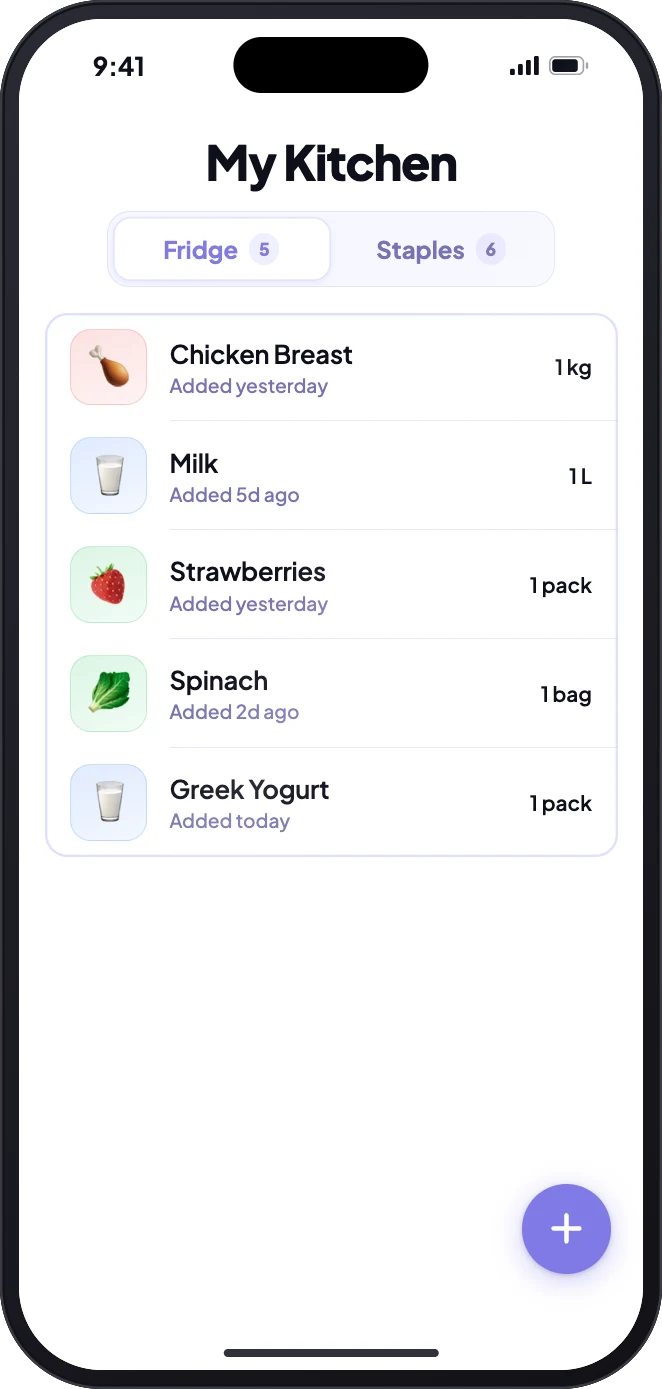
Your kitchen has two tabs. Fridge holds the food you use up, like chicken, milk and berries, with a quantity and an expiry date for each.
Staples are the basics you always keep on hand, like rice, pasta, oil and spices. Mark them once and Stovah simply counts them as available: no quantities to update, and recipes treat them as ingredients you already have.
Watch: Fridge vs Staples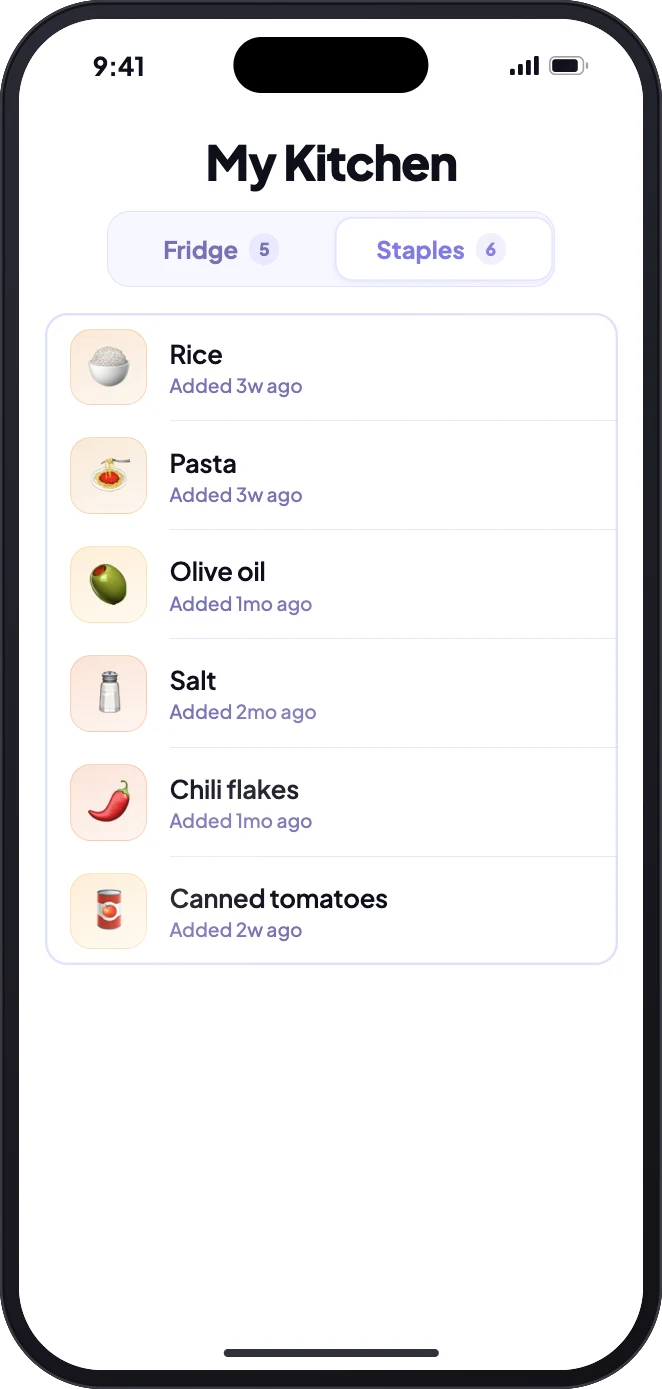
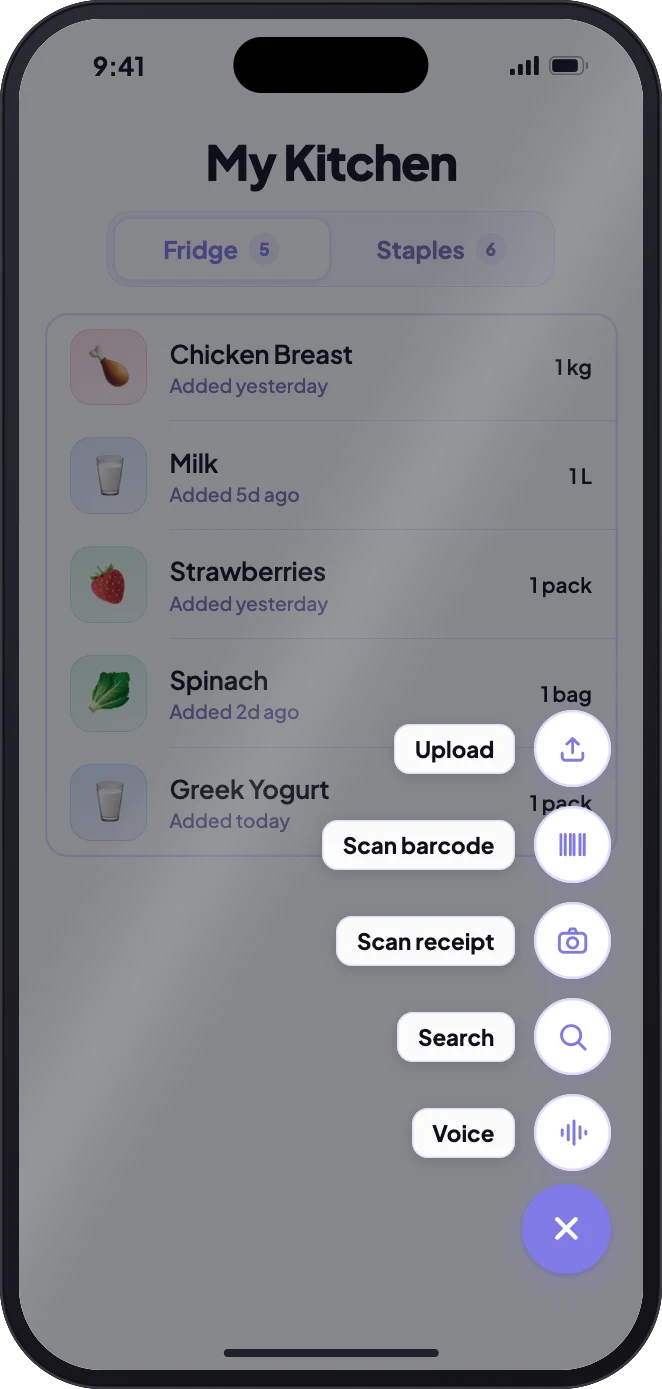
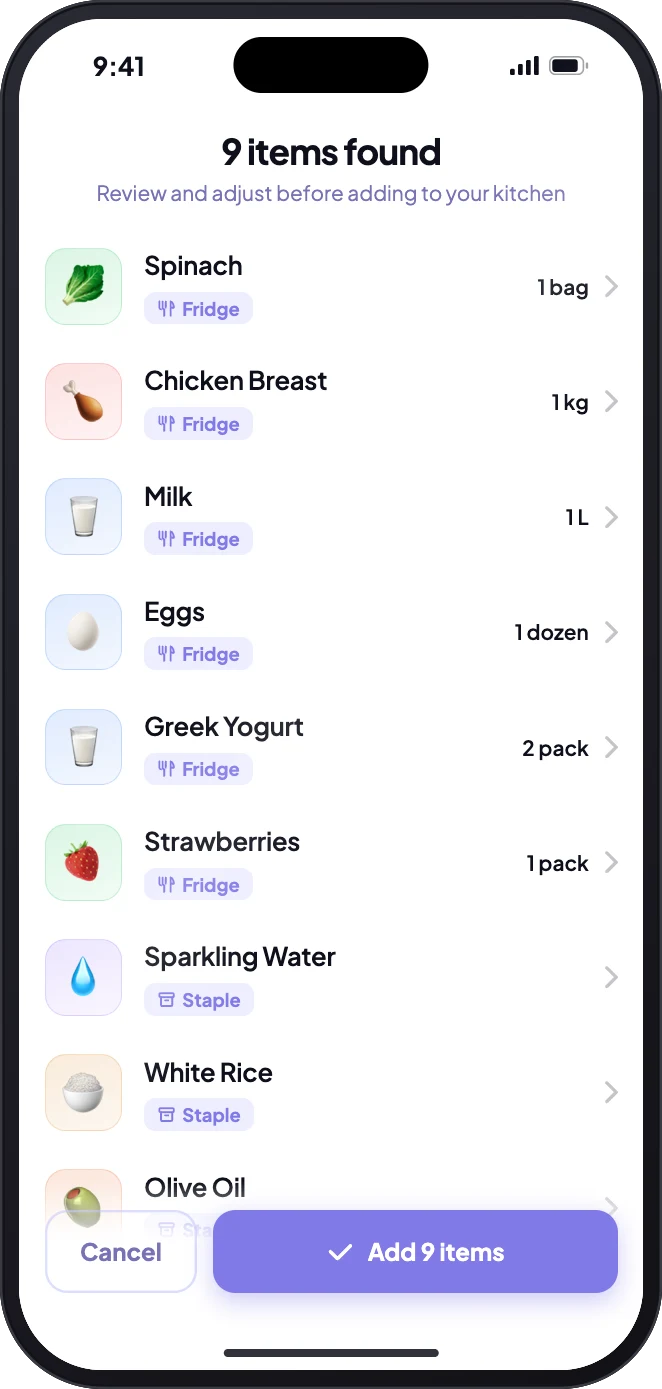
Tap + on My Kitchen and choose how you want to add food. Receipts and uploaded orders come back as a list to review, already sorted into Fridge or Staples, before anything is saved.
Type a few letters and tap. Search knows other names (coriander finds cilantro), forgives small typos, and adds several items in one go.
Watch the demoTake one photo. Store shorthand is decoded, totals and non-food lines are skipped, and everything lands in a list for you to check.
Watch the demoPoint your camera at the barcode and the product opens already named. If it isn't found, type it or scan the receipt instead.
Watch the demoOrdered online? Upload a screenshot or PDF of the order confirmation. Brands, pack sizes and delivery fees are stripped out.
Watch the demoTell Stovah what changed, several items in one breath. It updates your kitchen as you talk, and asks when it isn't sure.
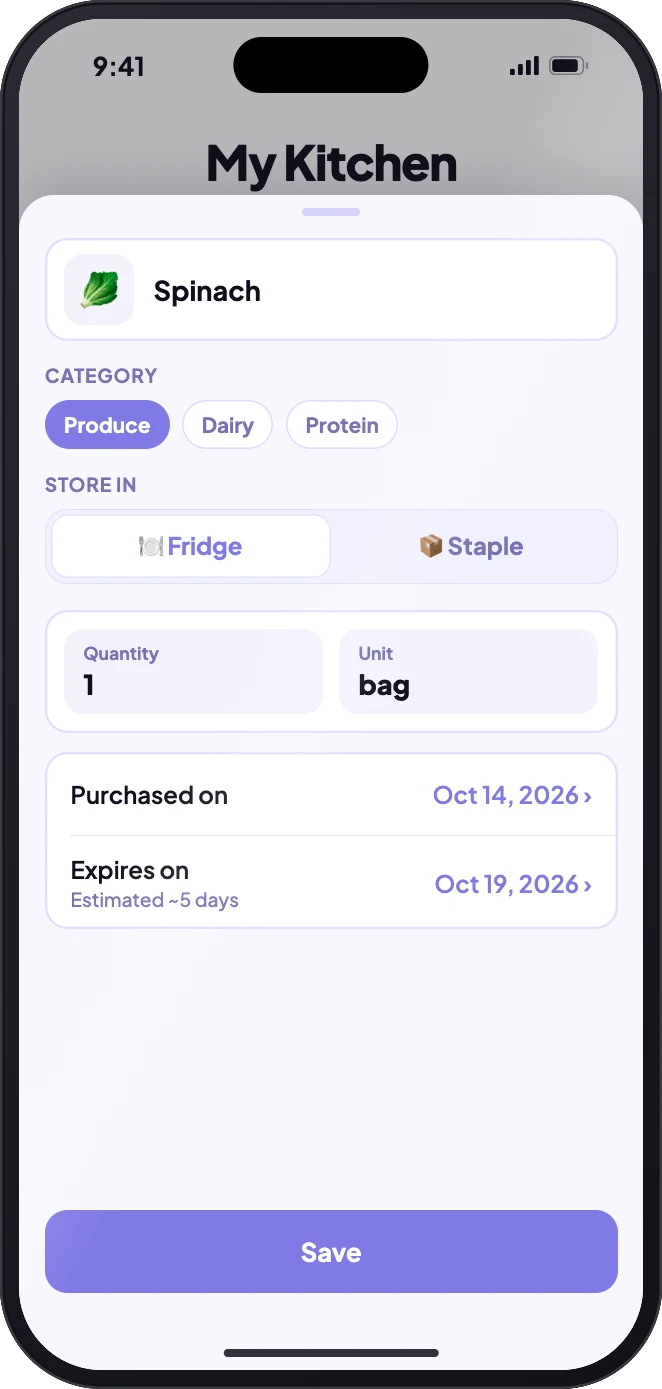
Watch the demoEach fridge item gets a purchased date, today by default and easy to change if you shopped earlier. From it, Stovah estimates when the food expires using USDA FoodKeeper food-safety data, with an AI estimate for unusual or regional foods.
Got a printed date on the pack? Set it, and your date always replaces the estimate.
Estimates are planning aids, not a guarantee that food is safe. Check the food and follow the package instructions.
Home lines your food up by what expires first: red for 2 days or less, amber within a week. The Top Pick recipe is built around those ingredients, so the reminder and the dinner idea point at the same food.
Turn on expiry alerts and Stovah sends one quiet reminder a day, at the hour you choose, for food expiring that day or up to 2 days ahead. Never for food that's already past its date.
Watch: Never Miss Expiring Food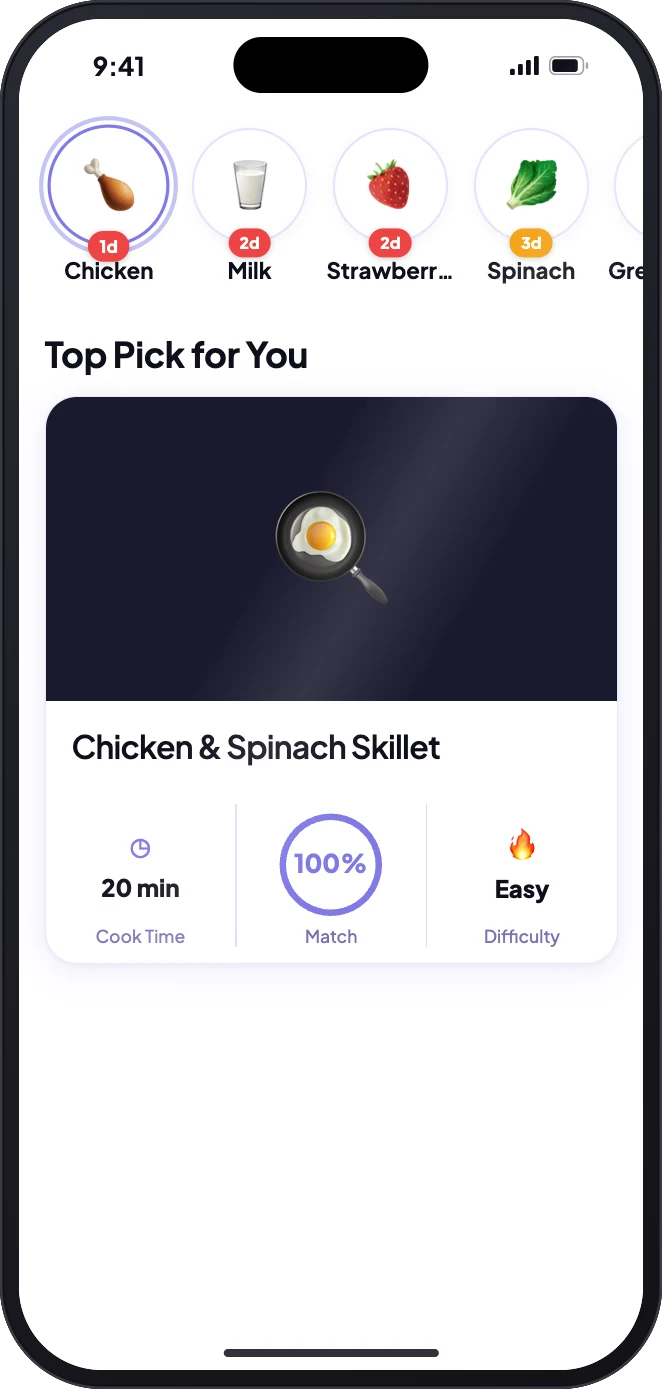
Tap Let's Cook on a recipe and Stovah lists everything it uses from your fridge, each pre-filled with one meal's worth. Adjust with + or −, confirm, and the amounts go down. Anything used up leaves the list.
Staples are never deducted, there's a 5-second Undo if you change your mind, and the meal is saved to your cooking history.
Watch: Cook It, Your Fridge Updates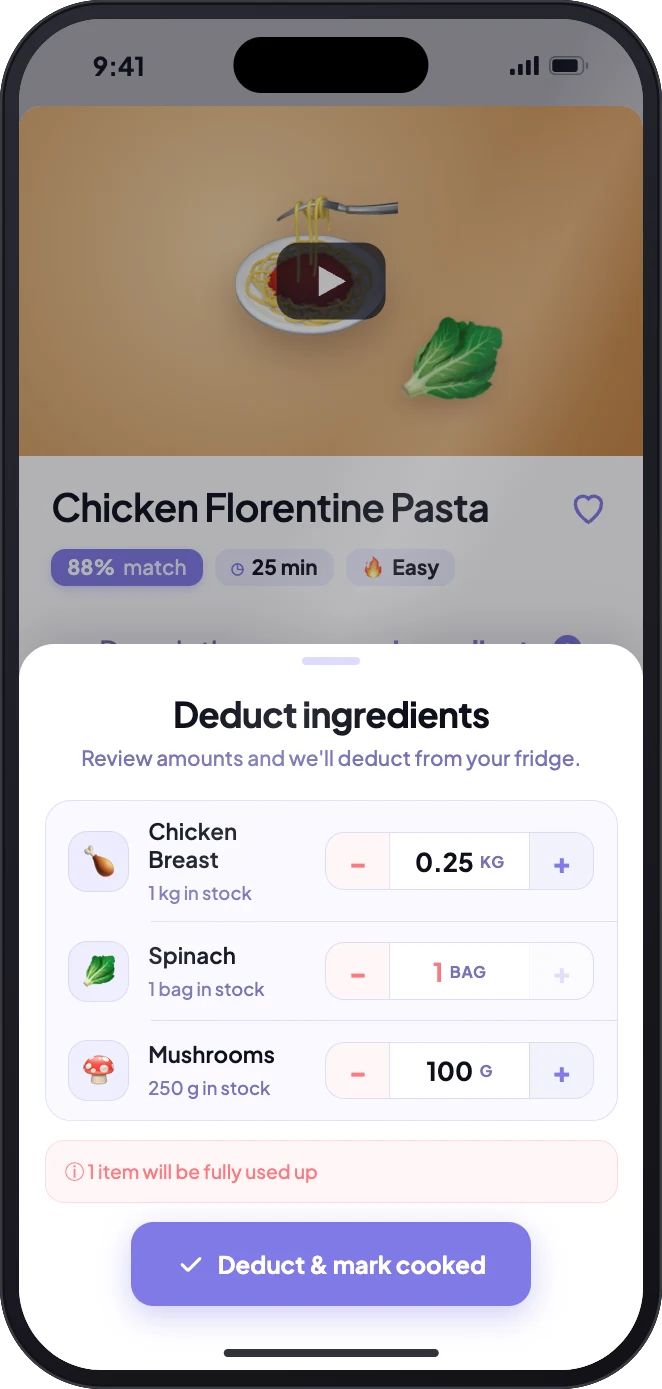
No. Start with the food you buy most. Add your staples once and they stay on hand until you remove them.
Turn on Expiry alerts in Profile → Notifications. Choose how many days ahead to be told (on the day, 1 or 2) and the hour the daily reminder arrives.
Stovah is currently for one person. Household sharing is not available yet.
Stovah offers a free one-month trial, then US $4.99 per month. Apple requires a payment method; cancel before the trial ends to avoid a charge. Check the App Store for local pricing and availability.
More questions? Read the FAQs · Browse guides
Stovah is available for iPhone. On Android? Join the waitlist.
Download for iPhone